# OpenClaw
OpenClaw 是一个开源的 AI 智能体网关,能让你在本地部署 AI 助手,并通过飞书、企微、QQ、Telegram 等多种平台随时使用它。它最吸引人的地方在于:数据留在本地、能访问你电脑上的文件、成本远低于订阅制 AI 服务。
# 准备、安装与初始化
详见:https://docs.openclaw.ai/start/getting-started
- Node.js 22.22.3+, 24.15+, or 25.9+ (Node 26 is the recommended runtime)
- An API key from a model provider (Anthropic, OpenAI, Google, etc.) — onboarding will prompt you
一般为:
在终端中执行以下命令进行全局安装:
安装完成后,验证是否成功:
openclaw --version
更推荐使用 CC Switch 官方网站 - AI 编程工具统一管理平台来进行安装,此外 CC Switch 支持 API 管理,更加方便。
# 修改 json 文件
在 C:\Users\用户名\.openclaw 下面的 openclaw.json,在最上面添加:
"gateway": { | |
"mode": "local", | |
"port": 18789 | |
}, |
访问 http://127.0.0.1:18789/chat 即可看见具体内容。
# 初始化
openclaw onboard --install-daemon |
install-daemon 包含了:鉴权配置、模型提供商配置、渠道配置(可选)、安装系统服务
由于已经通过 cc-switch 配置了 API,请选择:● Keep existing model config
在线搜索使用 duckduckgo 就行:https://duckduckgo.com/,后期可以改成 T_Search
# 接入微信
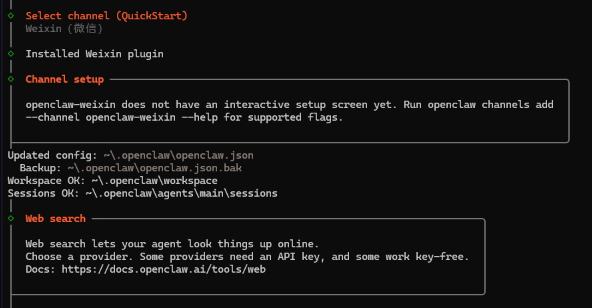
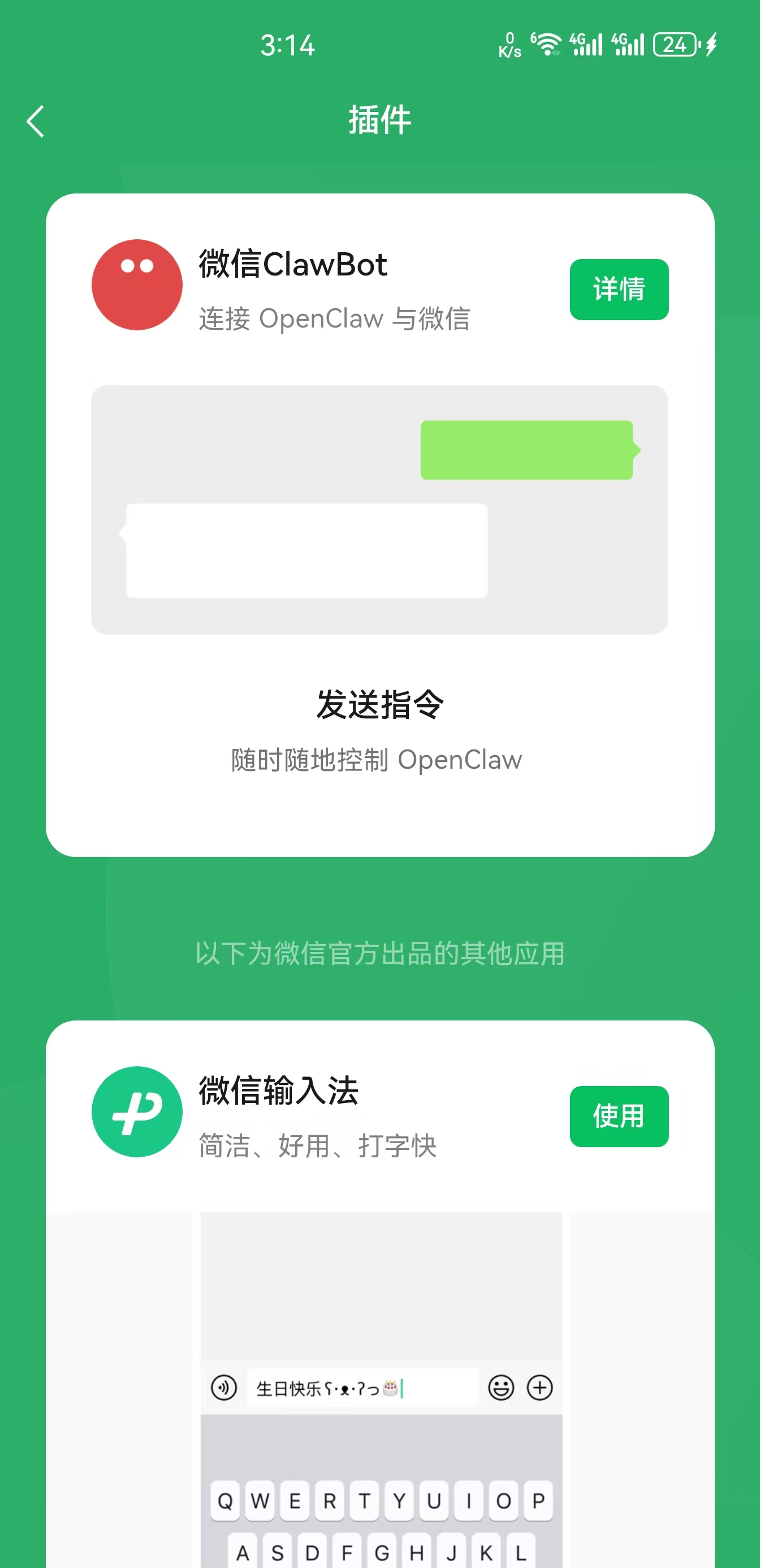
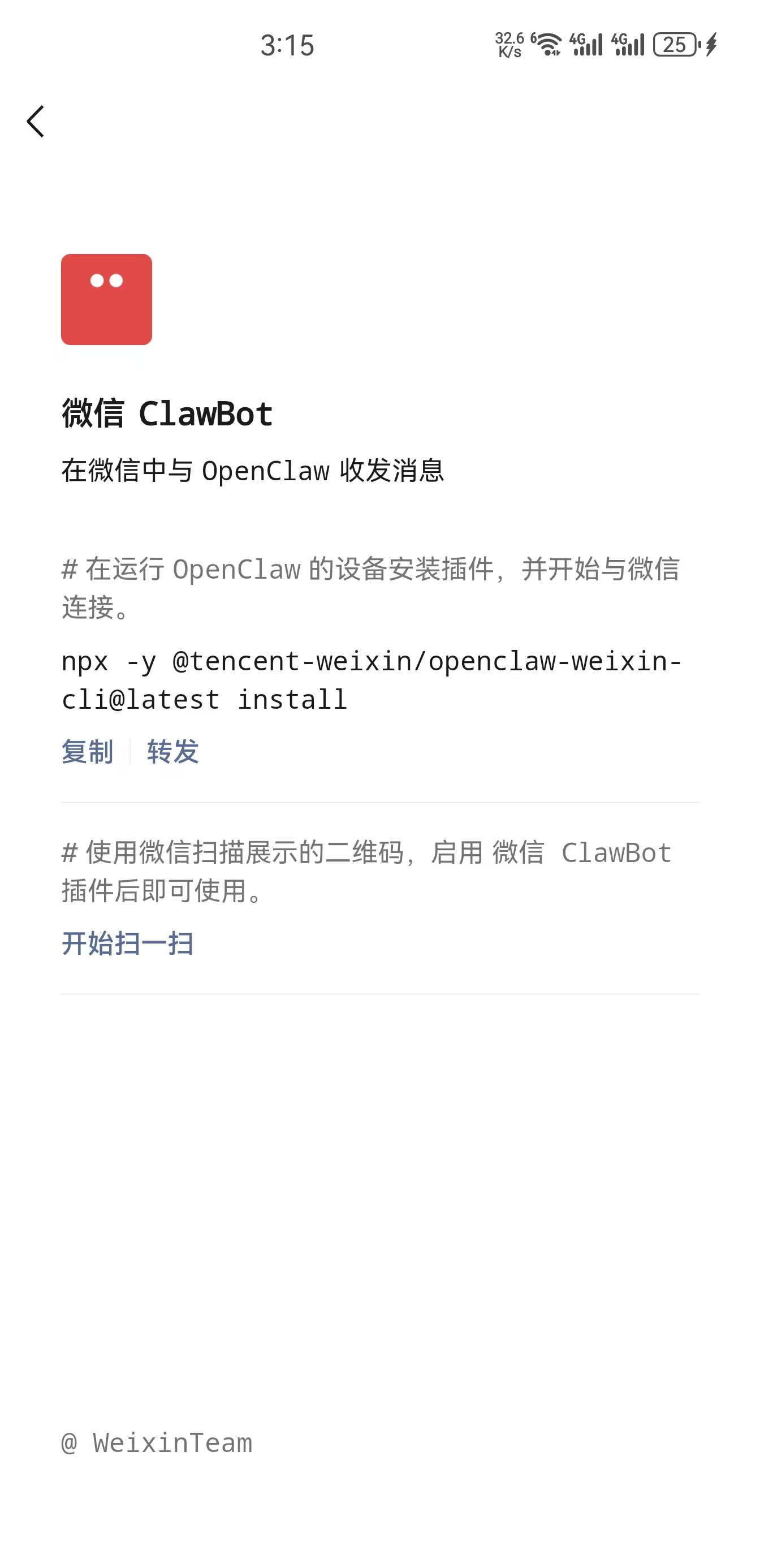
执行,或者也可以交给 OpenClaw 去做:
npx -y @tencent-weixin/openclaw-weixin-cli@latest install |
通常会返回一个授权链接,需要通过微信扫码,扫码授权之后,OpenClaw 会自动重启。
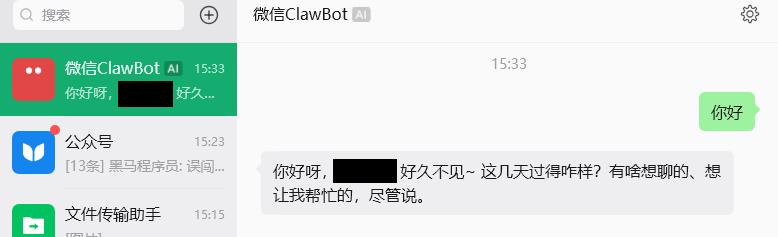
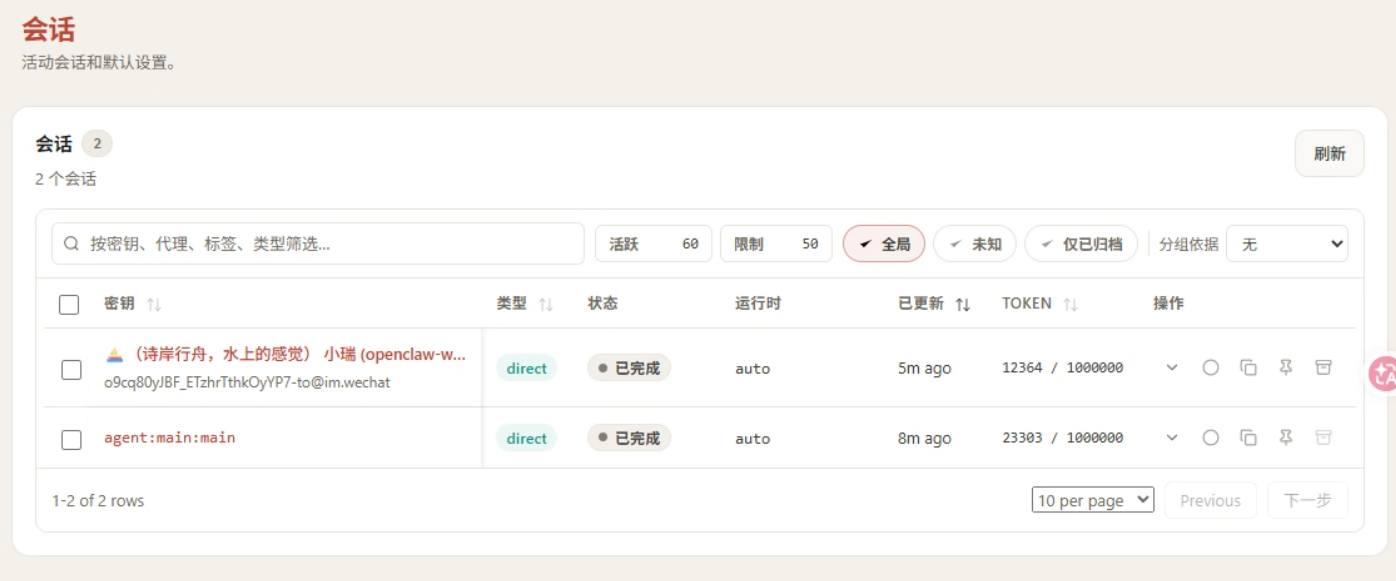
可以查看用量:
# Gateway 基础操作
https://www.runoob.com/ai-agent/openclaw-quickstart.html
Gateway 是 OpenClaw 的核心进程,所有功能都依赖它运行:
# 查看 Gateway 状态 | |
openclaw gateway status | |
# 在前台运行(适合调试) | |
openclaw gateway --port 18789 | |
# 详细日志模式 | |
openclaw gateway --port 18789 --verbose | |
# 强制占用端口并启动(解决端口冲突) | |
openclaw gateway --force | |
# 重启 Gateway | |
openclaw gateway restart | |
# 停止 Gateway | |
openclaw gateway stop | |
# 查看实时日志 | |
openclaw logs --follow |
# Control UI
Control UI 是 OpenClaw 的可视化管理界面,通过命令:
openclaw dashboard |
# 常用命令
/help # 查看帮助 | |
/status # 查看连接状态 | |
/agent <id> # 切换 Agent | |
/session <key> # 切换 Session | |
/model <provider/model> # 切换模型(如 /model anthropic/claude-sonnet-4-6) | |
/think <off|minimal|low|medium|high> # 设置思考深度 | |
/deliver <on|off> # 开启 / 关闭消息投递到 Provider | |
/new # 重置当前 Session | |
/abort # 中止当前运行 | |
/exit # 退出 TUI |
# 以下是全部命令
Available Commands | |
Tools | |
/help — Show available commands. | |
/commands — List all slash commands. (agent) | |
/tools [mode] — List available runtime tools. (agent) | |
/skill <name> [input] — Run a skill by name. (agent) | |
/learn [request] — Draft a reusable skill from recent work or named sources. (agent) | |
/status — Show current status. (agent) | |
/goal [action] [text] — Show or control the current goal. (agent) | |
/diagnostics [note] — Explain Gateway diagnostics and Codex feedback upload options. (agent) | |
/login [provider] — Pair Codex login. (agent) | |
/crestodian — Run the Crestodian setup and repair helper. (agent) | |
/tasks — List background tasks for this session. (agent) | |
/allowlist — List/add/remove allowlist entries. (agent) | |
/approve — Approve or deny exec requests. (agent) | |
/context — Explain how context is built and used. (agent) | |
/btw — Ask a side question without changing future session context. (agent) | |
/export-session [path] — Export current session to HTML file with full system prompt. | |
/export-trajectory [path] — Export a JSONL trajectory bundle for the active session. (agent) | |
/tts [action] [value] — Control text-to-speech (TTS). (agent) | |
/whoami — Show your sender id. (agent) | |
Session | |
/session [action] [value] — Manage session-level settings (for example /session idle). (agent) | |
Agents | |
/subagents [action] [target] [value] — Inspect subagent runs for this session. (agent) | |
Tools | |
/acp [action] [value] — Manage ACP sessions and runtime options. (agent) | |
/focus [target] — Bind this thread (Discord) or topic/conversation (Telegram) to a session target. (agent) | |
/unfocus — Remove the current thread (Discord) or topic/conversation (Telegram) binding. (agent) | |
Agents | |
/agents — List thread-bound agents for this session. | |
/steer <message> — Inject a message into the active run | |
Tools | |
/config [action] [path] [value] — Show or set config values. (agent) | |
/mcp [action] [path] [value] — Show or set OpenClaw MCP servers. (agent) | |
/plugins [action] [path] — List, show, enable, or disable plugins. (agent) | |
/debug [action] [path] [value] — Set runtime debug overrides. (agent) | |
/usage [mode] — Usage footer or cost summary. | |
Session | |
/stop — Stop the current run. | |
Tools | |
/restart — Restart OpenClaw. (agent) | |
/activation [mode] — Set group activation mode. (agent) | |
/send [mode] — Set send policy. (agent) | |
Session | |
/reset — Reset the current session. | |
/new — Start a new session. | |
/name [title] — Name or rename the current session. (agent) | |
/compact [instructions] — Compact the session context. | |
Model | |
/think [level] — Set thinking level. | |
/verbose [mode] — Toggle verbose mode. | |
/trace [mode] — Toggle plugin trace lines. (agent) | |
/fast [mode] — Toggle fast mode. | |
/reasoning [mode] — Toggle reasoning visibility. (agent) | |
/elevated [mode] — Toggle elevated mode. (agent) | |
/exec [host] [security] [ask] [node] — Set exec defaults for this session. (agent) | |
/model [model] — Show or set the model. | |
/models — List model providers/models. (agent) | |
/queue [mode] [debounce] [cap] [drop] — Adjust queue settings. (agent) | |
Tools | |
/bash [command] — Run host shell commands (host-only). (agent) | |
Session | |
/clear — Clear chat history | |
Agents | |
/redirect <message> — Abort and restart with a new message | |
Tools | |
/canvas — Present HTML on connected OpenClaw node canvases, navigate/eval/snapshot, and debug canvas host URLs. (agent) | |
/clawhub — Search ClawHub for skills when a requested capability is not already available; install, verify, update, publish, or sync skills. (agent) | |
/diagram_maker — Create SVG/HTML or Excalidraw diagrams for concepts, architecture, flows, and whiteboards. (agent) | |
/healthcheck — Audit/harden OpenClaw hosts: SSH, firewall, updates, exposure, backups, disk encryption, gateway security. (agent) | |
/meme_maker — Search meme templates, suggest formats, and generate local or hosted image memes. (agent) | |
/node_connect — Diagnose OpenClaw Android, iOS, or macOS node pairing, QR/setup code, route, auth, and connection failures. (agent) | |
/node_inspect_debugger — Debug Node.js with node inspect, --inspect, breakpoints, CDP, heap, and CPU profiles. (agent) | |
/notion — Notion CLI/API for pages, Markdown content, data sources, files, comments, search, Workers, and raw API calls. (agent) | |
/python_debugpy — Debug Python with pdb, breakpoint(), post-mortem inspection, and debugpy remote attach. (agent) | |
/skill_creator — Create, edit, audit, tidy, validate, or restructure AgentSkills and SKILL.md files. (agent) | |
/spike — Run throwaway prototypes to validate feasibility, compare approaches, and report a verdict. (agent) | |
/taskflow — Coordinate multi-step detached tasks as one durable TaskFlow job with owner context, state, waits, and child tasks. (agent) | |
/taskflow_inbox_triage — Example TaskFlow pattern for inbox triage, intent routing, waiting on replies, and later summaries. (agent) | |
/weather — Current weather and forecasts with web_fetch, falling back to wttr.in curl for locations, rain, temperature, travel planning. (agent) | |
/pair — Generate setup codes and approve device pairing requests. (agent) | |
/dreaming — Enable or disable memory dreaming. (agent) | |
/phone — Arm/disarm high-risk phone node commands (camera/screen/writes). (agent) | |
/voice — List/set Talk provider voices (affects iOS Talk playback). (agent) | |
Type / to open the command menu. |
# Skill
Skill 是不是就是提示词?我想说,是的,但也不全是。 可以把它理解为 “升级版、结构化的提示词”。
为了让你更清楚地理解,可以从几个维度来对比一下它们的关键区别:
Prompt 是一段自然语言的指令,每次需要时都得重新输入或复制粘贴,Prompt 是非结构化的。可以很随意,AI 自行理解意图,仅靠文字描述,AI 自主决定如何做,每次都需要在对话中完整提出。
Skill 是一个包含 SKILL.md 描述文件的文件夹,可能还包含脚本等资源,一旦创建,就可以通过技能名反复调用。Skill 高度结构化的。通过 SKILL.md 中的步骤描述,定义了清晰的工作流除了文字描述,可以绑定脚本或命令,执行确定性操作,通过命令(如 /my-skill )或在对话中提及即可自动触发。
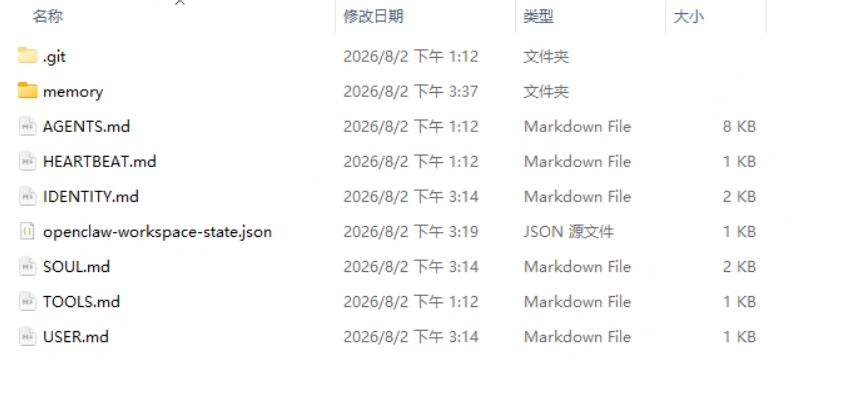
可以在: C:\Users\用户名\.openclaw\workspace 下看见所有的 Skill。
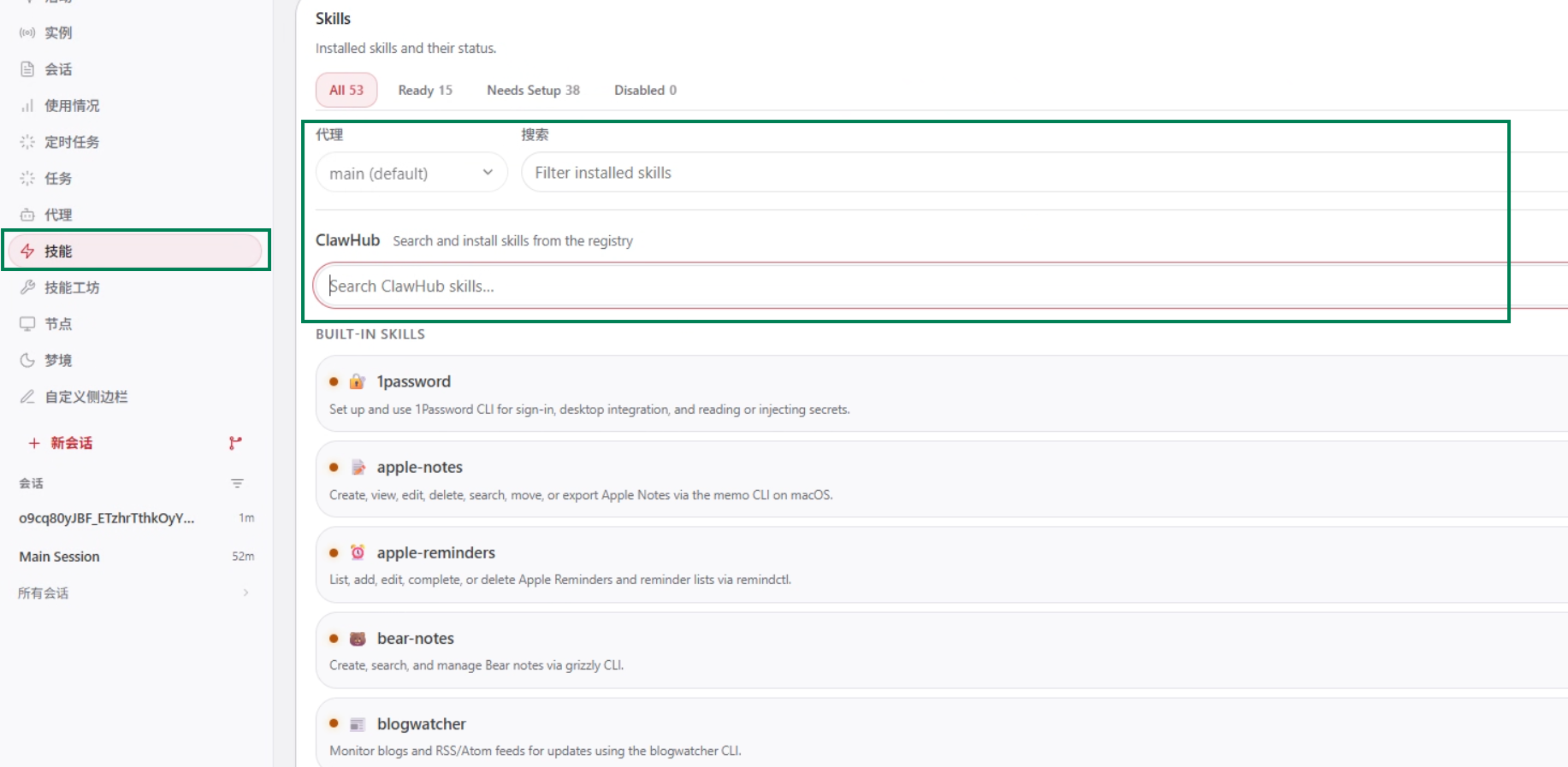
OpenClaw 使用技能系统来扩展功能。技能是可复用的功能模块,可以通过 ClawHub CLI 从 clawhub.com 安装。
# 安装 ClawHub CLI
npm install -g clawhub |
ClawHub 常用命令,镜像:https://cn.clawhub-mirror.com
| 命令 | 说明 | 示例 |
|---|---|---|
clawhub list |
列出已安装的技能 | 查看当前工作空间的所有技能 |
clawhub update <skill> |
更新指定技能到最新版本 | clawhub update baoyu-image-gen |
clawhub update --all |
更新所有技能 | 批量更新所有已安装技能 |
clawhub update --force |
强制更新(忽略版本检查) | 解决版本冲突时使用 |
# Skill 安装示例:elite-ppt-pro
elite-ppt-pro 是一个专注于创建世界级专业演示文稿的技能,设计水准对标苹果、微软、谷歌等科技巨头的发布会风格。下面通过这个例子,展示 Skill 的安装和使用流程。
执行:
openclaw skills install @forrestneo/elite-ppt-pro |
安装 elite-ppt-pro 时不仅仅是安装他自己,他还依赖了一些其他的 Skill:
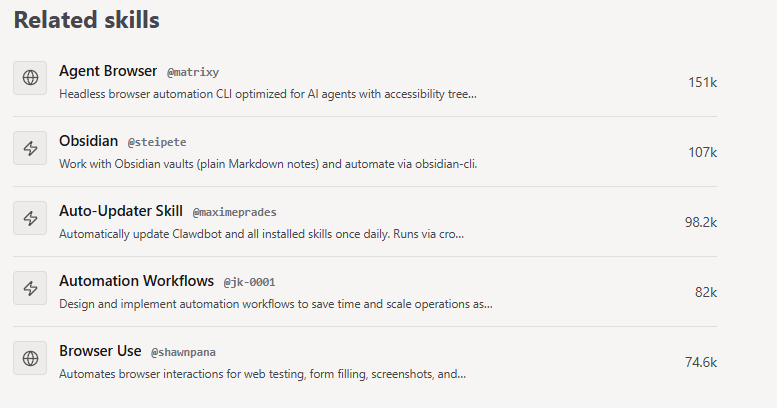
一般来说,如果不配置镜像,它这个命令通常会失败。
执行:
clawhub search "elite-ppt-pro" --registry https://cn.clawhub-mirror.com |
重点对比一下名称和版本:

安装:
clawhub install "elite-ppt-pro" --registry https://cn.clawhub-mirror.com |
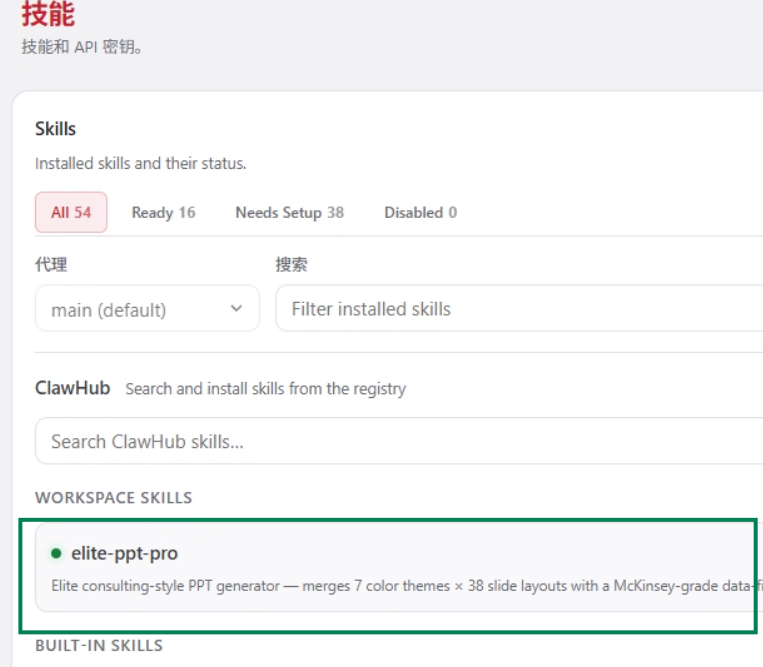
# Skill 的使用
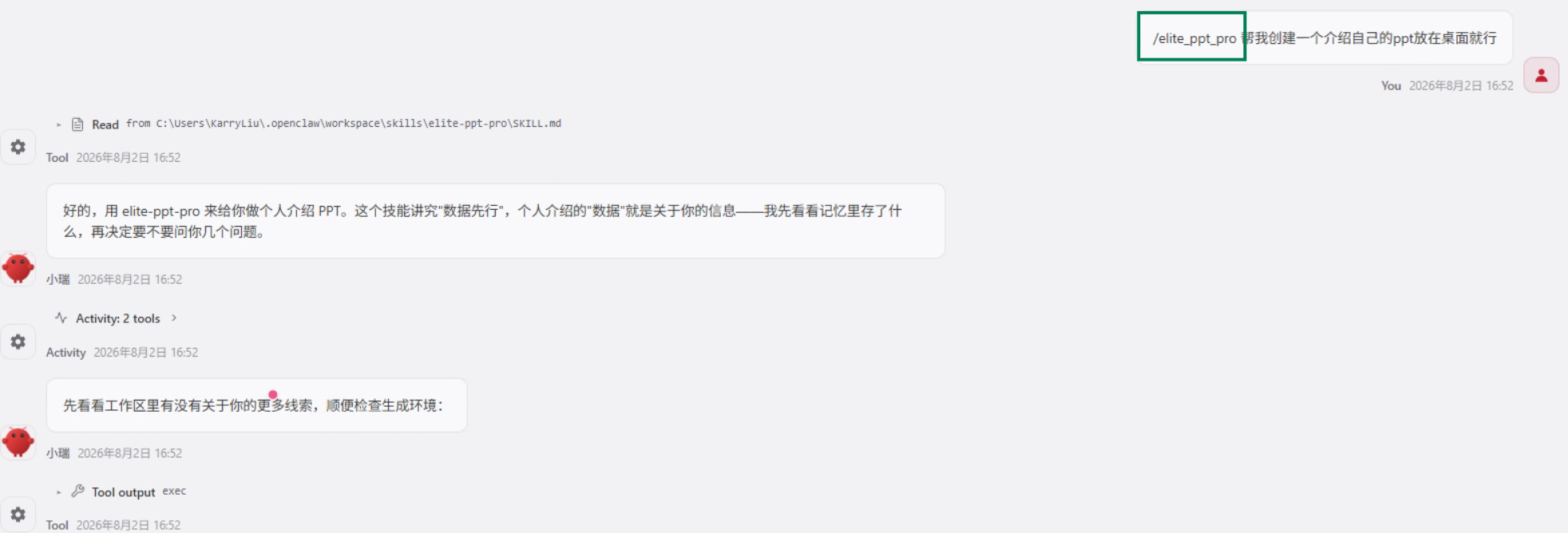
通过 /skill-name 就可以使用了,这里让他生成一个自我介绍 ppt
后续他会多从向你询问信息,以制作详细的 PPT。
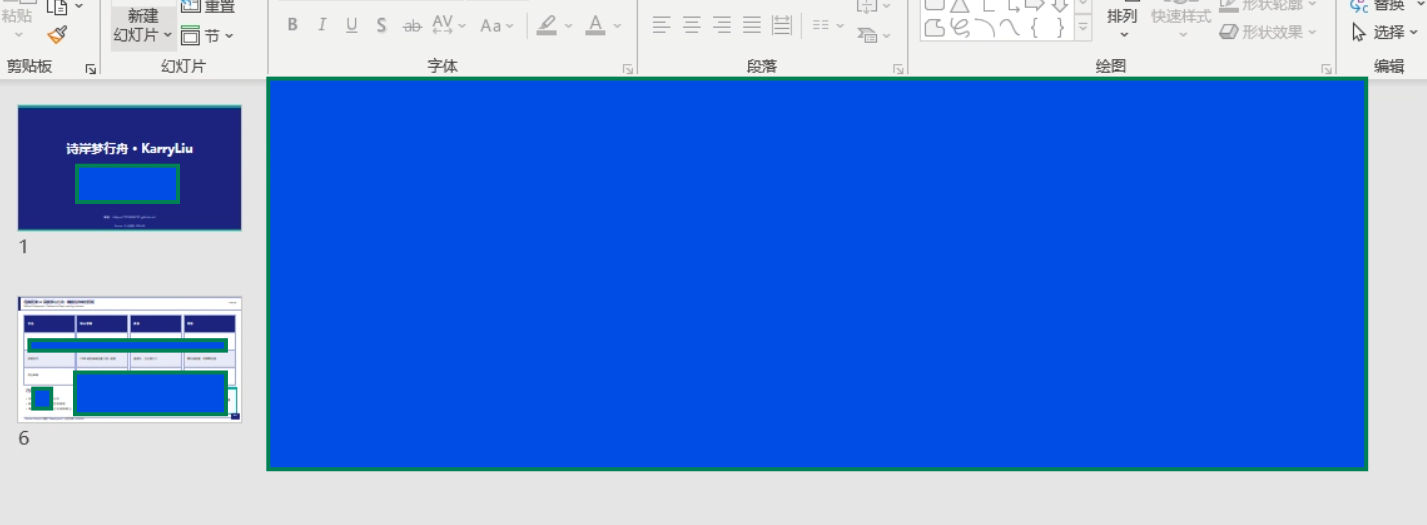
大部分信息的敏感的,所以我掩盖掉了。
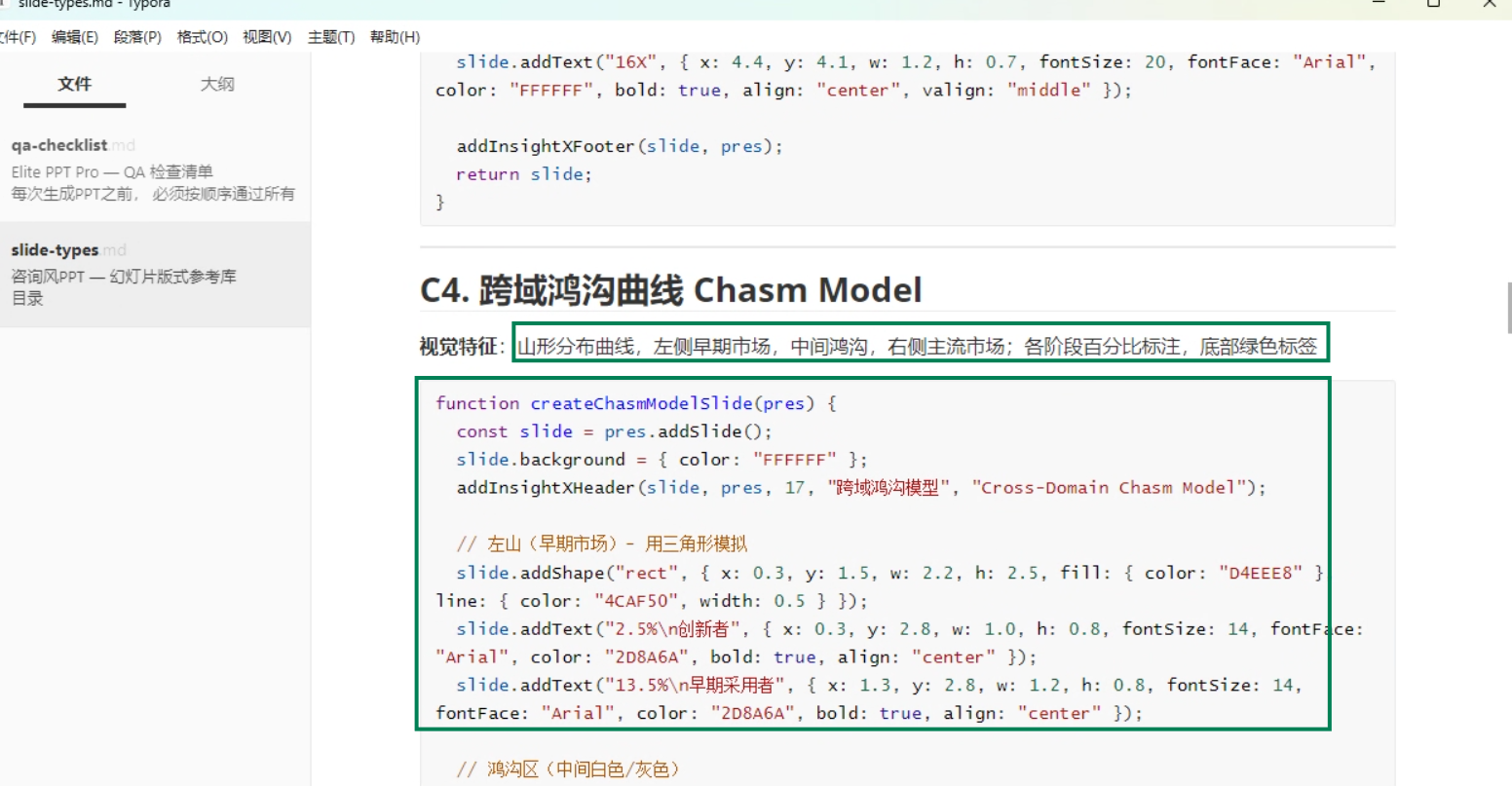
可以看见,SKILL 中不仅有提示词,还有代码,这里可以理解为脚本。
# 带你安装好玩的 SKILL
这是一个 Skill 集合,感兴趣可以看看:https://github.com/jimliu/baoyu-skills
# find-skills
帮助发现和安装技能
clawhub install find-skills --registry https://cn.clawhub-mirror.com |
# weather
天气查询和预报
clawhub install weather --registry https://cn.clawhub-mirror.com |
# awesome-ai-research-writing
论文写作绘图增强:https://github.com/Leey21/awesome-ai-research-writin
# arxiv-translator
英文论文翻译:https://github.com/Leey21/arxiv-translator
效果非常哇塞,感觉论文变简单了。
# Academic Skills for Claude Code & Codex
三个面向中国科研工作者的学术技能包,覆盖论文写作、学术 Office 文档生成与科研计算三大场景。
所有 skill 均可在 Claude Code 和 Codex 两个平台上直接使用:https://github.com/zLanqing/codex-claude-academic-skills
这个效果也很强,而且支持生成报告和评价,很实用。
# Claude Code
# 下面是针对 CC 的 Skill 相关内容
因为内容不是很多,所以就借着这个 OpenClaw 下面进行展开了。
Skill 的本质其实就是一个 md 后缀的文件,可以理解为一个操作手册,告诉 claudecode 在做某件事情的时候,该如何去做才能更好。
常用 Skill 集合:
- anthropic 官方仓库:https://github.com/anthropics/skills
- Skills 社群网站:https://skillsmp.com/zh
- 优秀开源集合:https://github.com/ComposioHQ/awesome-claude-skills
- 精选 skills 库:https://github.com/JackyST0/awesome-agent-skills
- 视频制作 skill:https://github.com/remotion-dev/skills
- youtube 视频剪辑 skill:https://github.com/op7418/Youtube-clipper-skill
- 大师帮你创建 skill 的 skill:https://github.com/GBBOSS/skill-from-masters
- notebookLM skill:https://github.com/PleasePrompto/notebooklm-skill
- markdown 发布到 X skill:https://github.com/wshuyi/x-article-publisher-skill
- AI 视频产品 Vidu Skills:https://www.vidu.cn/
- agent-skills.md 包含 6000 多个好用的实用技能:https://agent-skills.md/
- Skillstore:https://skillstore.io/zh-hans
- Reddit 社区推荐的技能合集:https://www.skillsdirectory.com/
- agentskills.me:https://agentskills.me/
- Vercel 官方仓库:https://github.com/vercel-labs/agent-skills
- 开发者 Antfu 维护的技能库:https://github.com/antfu/skills
- skill 收藏库:https://github.com/ZhanlinCui/Ultimate-Agent-Skills-Collection
- skillsbot:https://www.skillsbot.cn/
# 全局安装
直接在 C:\Users\{username}\.claude 下面建立一个 skill 文件夹,直接把相关 skill 复制到其中就可以了。
# 局部安装
找到项目的路径: 这个是你自己项目的目录 ,在项目文件夹中创建 .claude 文件夹,在它下面创建 skills 文件夹,然后复制到其中就行。
# 提示词工程
提示词(Prompt)就是你输入给 AI 的指令或问题,用来告诉 AI 你想要它做什么或回答什么。** 提示词工程(Prompt Engineering)** 是一门通过精心设计和优化输入给大语言模型的文本指令,以系统性地引导模型生成更准确、相关、高质量输出结果的技术方法论。
# 提示词五大原则
- 清晰的指令:越清晰越对于模型来说越好,重要的信息与上下文是大模型的基础。
- 优秀:帮我用 xx、xx 和 xx 技术,设计一个简约风格的前端页面,遵守 xx 规则,实现 xx 功能。反例:设计一个 xx 功能的前端。
- 其次让大模型充当一个角色,eg:你是一个 xxx,针对 xx 问题,xxx 解决方案。
- 分隔符比如:方括号、尖括号、三引号等分隔符可以帮助模型区分不同内容的边界。
- 还有一个非常重要的技巧就是:提供示例(少样本学习),这个是后续在框架中都非常常用的技巧,比如,请完全按照以下方式生成内容【xx1】xxx【xx2】xxxx。再比如,请你完整按照 JSON 的格式生成 xxx。
- 指定输出长度
- 否定指令陷阱:尽量减少否定词的叙述,多以肯定的形态展示出来。
- 文本参考
- 复杂任务拆分简单子任务
- 给模型 "思考" 的时间
- 借助外部工具
- 联网搜索
- 代码执行
- 知识库、文件操作
- 外部 API 调用
# 提示词模板
写提示词的时候要注意包含以下几个部分:
角色定位:让 AI 扮演一个什么样的角色
技能描述:当前的 AI 擅长什么样的技术
具体事情:让 AI 具体做什么事情
输出格式:最终 AI 做完了,以什么的结果给我
约束条件:在此期间 AI 不能做什么,不能回答什么。